Call our sales team (800) 944-6281

PACS / EMR

Seamless PACS & EMR Integration

Optimize Workflow. Elevate Image Management

Streamline your entire imaging ecosystem with intelligent PACS and EMR integration—built to simplify workflows, enhance accuracy, and accelerate access to critical patient data.

Designed for Efficiency Across Your Network

✔ Discrepancy Correction:

Quickly identify and resolve imaging inconsistencies to maintain data integrity and clinical confidence.

✔ Image & Video Conversion to DICOM

Effortlessly import, normalize, and convert images and video frames into standardized DICOM format—ready for PACS and enterprise systems.

✔ Digital Image Review & Management

Securely access, analyze, and manage diagnostic images from a unified, browser-based interface.

One Platform — Complete Workflow Control

From acquisition to distribution, our integrated solutions eliminate manual steps, reduce errors, and improve interoperability across PACS, EMR, and enterprise systems.

Deliver faster access. Improve diagnostic workflows. Enhance patient care.

LEARN MORE

Powerful

Powerful custom designed software applications that allow for the easy integration of studies into your PACS.

Simple

Simple, easy to use software interface making anyone at your facility capable of use.

Connect

Connect, import, convert and print any item need to bring non-DICOM into your PACS workflow.

Help

Help is never far; we support all our solutions to ensure that they continually provide the best performance.

PACS / EMR software features

Correct

Correct any and all discrepancies, auto-match and assign patient study information by PACS administrators easily.

Import

Import and reconcile DICOM studies from any external source to your PACS.

Scan

Scan any document or image in multiple formats from a Windows PC to your PACS.

Convert

Convert documents, digitize films, import JPEGs/ BMP, capture analog video frames are converted to DICOM and send to any PACS system.

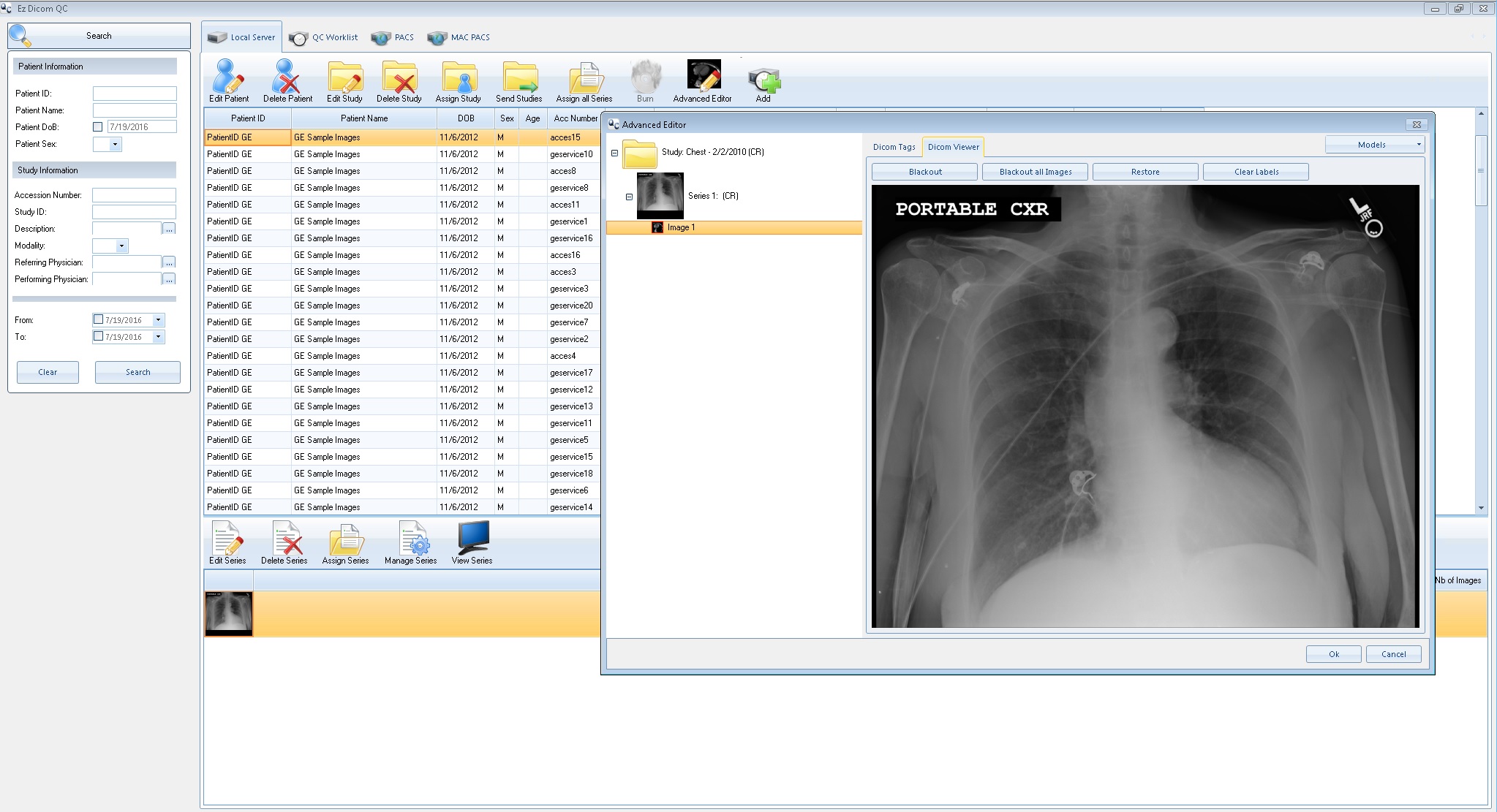
DMC – EZ QC Module


1

Correct

Correct discrepancies and auto-match patient information between acquired images and associated patient information.


2

Assign

Assign studies and series to patients, new or existing, and provide the ability to split or combine images from any series or study.


3

Edit

Edit studies on a local cache and send to any DICOM entity, including studies retrieved from PACS, studies from other DICOM nodes, and foreign studies imported using EzDicom Sender software.


GET A QUOTE

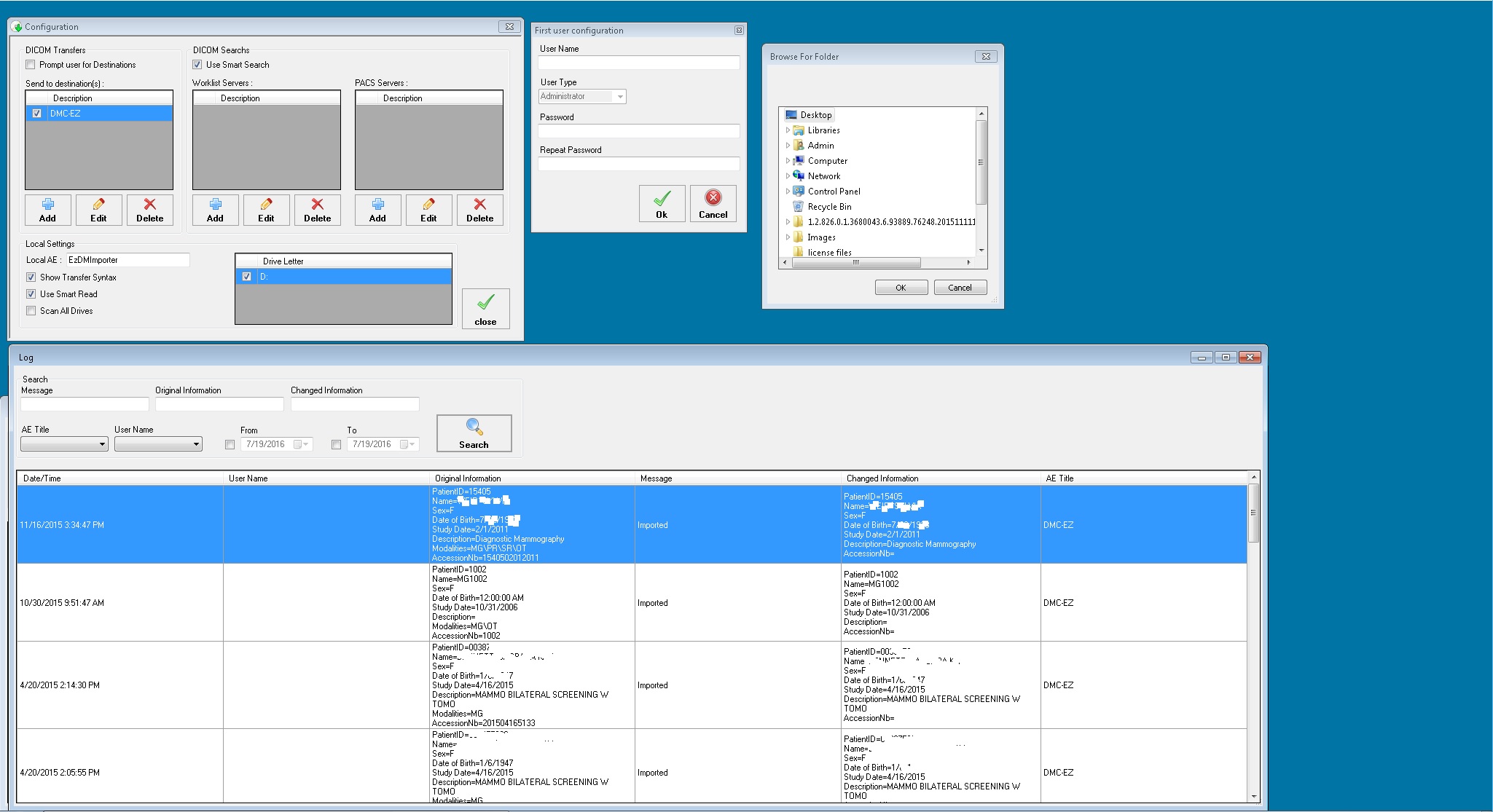
DMC – EZ DICOM Importer


1

Import

Import and reconclie of DICOM Studies to Your PACS.


2

Easy

Easy importing of existing DICOM studies and images from discs (CDs, DVDs, Blu-Rays), USBs, network drives or shelf archives.


3

Edit

Edit patient demographics and study information before sending them to the PACS server.


GET A QUOTE

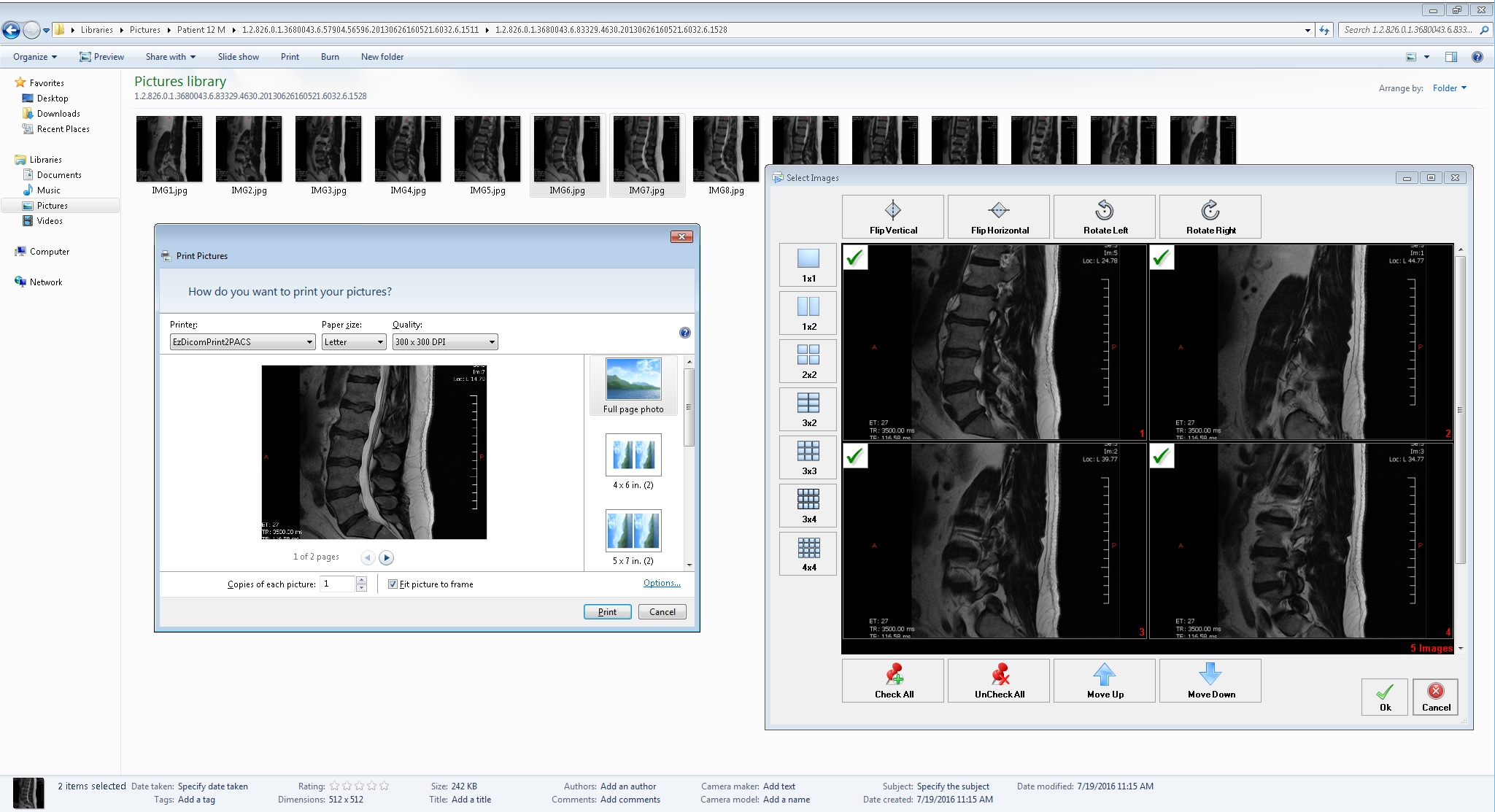
DMC – EZ DICOM Print to PACS


1

Share

Share medical information in various formats; including Microsoft Word documents, PDFs, reports, emails, EHR/EMR, and RIS through your PACS.


2

Intuitive

Intuitive interface allows medical professionals to operate and import non-DICOM information.


3

Send

Send any document or image from a Windows PC to your PACS.


GET A QUOTE

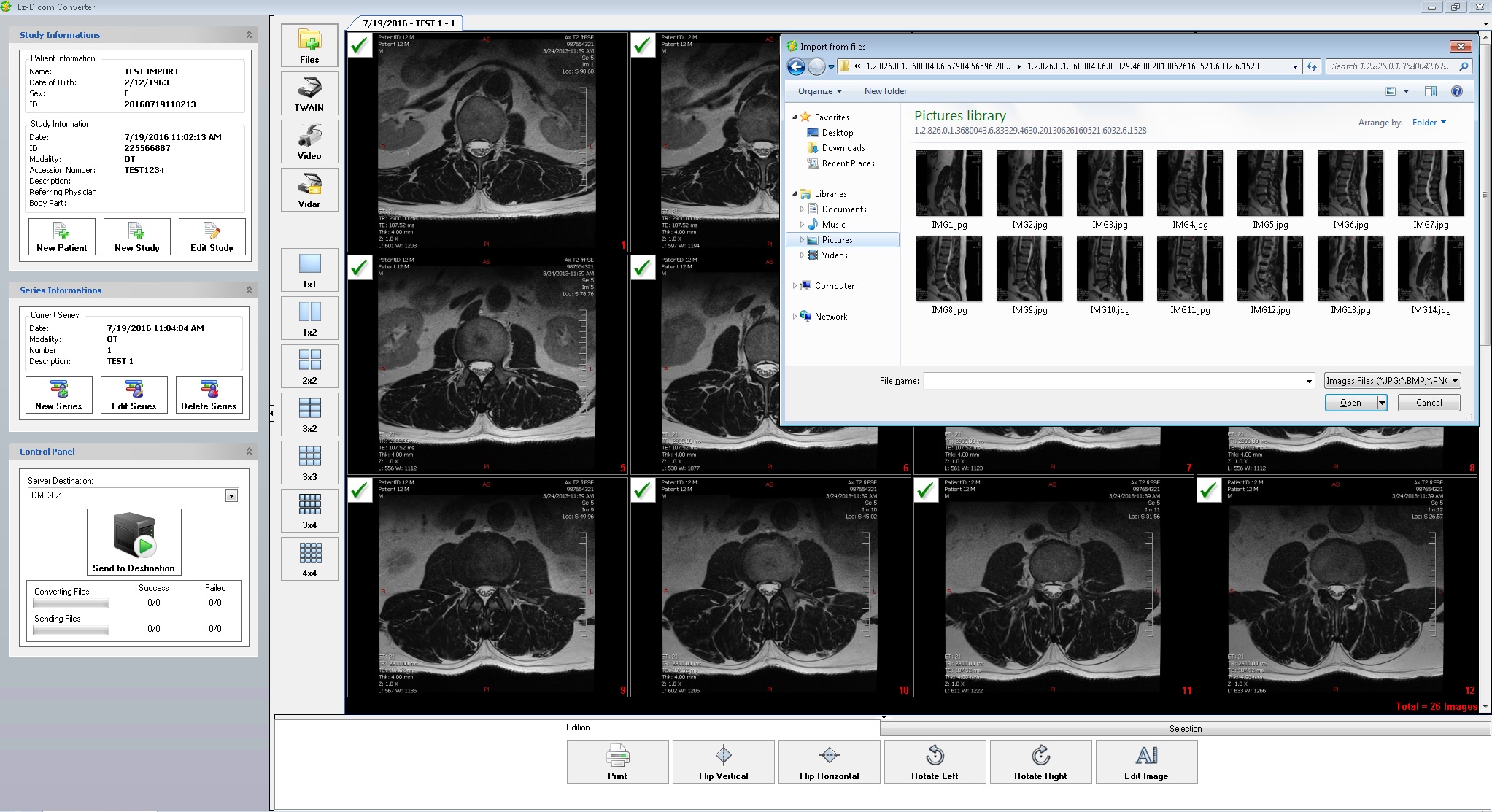
DMC – EZ DICOM Converter


1

Scan

Scan any documents, digitize films, import JPEGs/ BMP or capture analog video frames and convert to DICOM.


2

Intuitive

Intuitive  interface allows medical professionals to improve workflow of importing non-DICOM data.


3

Create

Create proper patient/ study/ series structure before sending to your PACS.


GET A QUOTE

Why our software is the best

  • " We just purchased and installed our new CD burner from SST Group. We choose the DMC-EZ 550 for its printing speed. The installation, configuration was seamless and training our users was very straight forward due to the intuitive interface. We even came back with several changes to customize our labels and splash pages for the CD produced, and the support staff made these changes quickly to please our marketing department."
    JanDirector of Radiology - Utah
  • We recently purchased two DMC-EZ models from SST Group. The installation and training that Ryan provided was very helpful and professional, he is a great asset to your team. We are looking forward to our working relationship going forward.
    LacyRadiology - Bay City, MI
  • "We have been a customer of SST Group for over 10 years and the level of support they provide is above and beyond what the competitors in the same space have provided our facility. I would recommend SST Group and it products to any facility that is interested in the best in class product and support"
    KimDirector of Radiology - Texas
  • I just want to thank SST Support for the very quick response and troubleshooting support I received. We’re very happy with SST Groups DMC-EZ Software. It works Great!
    MikeRadiology, NY
  • It has been a true pleasure to work with SST for the past few years. They are always quick to respond to service tickets, usually within minutes of placing the emailed request. Also, great phone support with excellent communication between the customer and support. If we have any type of hardware that is not repairable, new equipment is supplied overnight and field support dispatched the same day. We have had great success using the CD burning software, QA module, and the DMC-EZ burning systems. I look forward to a long relationship with SST.
    HollyImaging Informatics - Hammond, LA
  • "The DMC-EZ software is one of the easiest to use and most powerful that we have found on the market today. The Virtual Media creator has reduced our expenses on overnight or courier costs since delivery of the urgent study requests happen in minutes, safely and securely. Also wanted to note that the support services provided by SST group have been outstanding."
    SteveDirector of Radiology - Florida